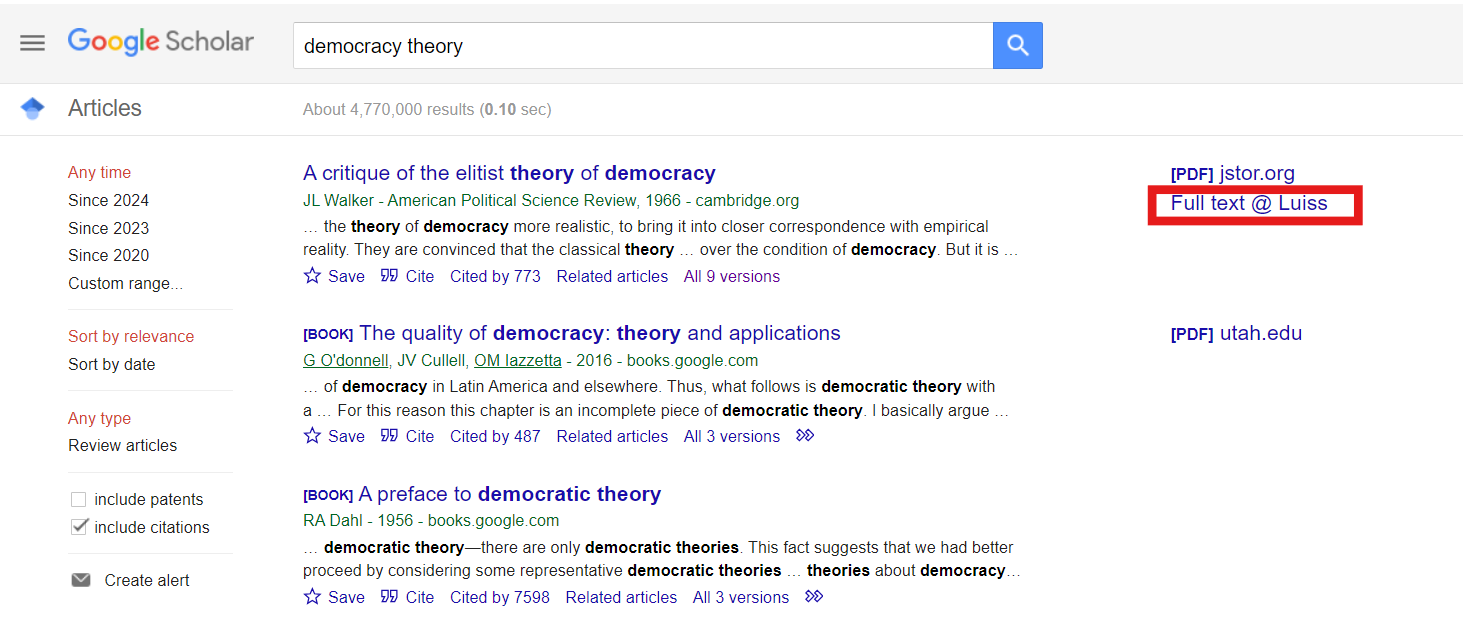
Google Scholar lets you search a wide range of academic literature, including journal articles, ebooks, conference proceedings, and theses.
To view direct links to the Library's resources, you have two options:
Option 1: Use MyOpenAthens to browse Google Scholar and see direct links to the Luiss Library's holdings.
Option 2: Manually add the Library links in your Google Scholar settings. Remember: if you don't use MyOpenAthens , you'll need to log in to the individual resource later to view the full text. For more information, see the guide How to access electronic resources.
To add results from the Luiss Library:
1. Go to the settings page.
Immagine
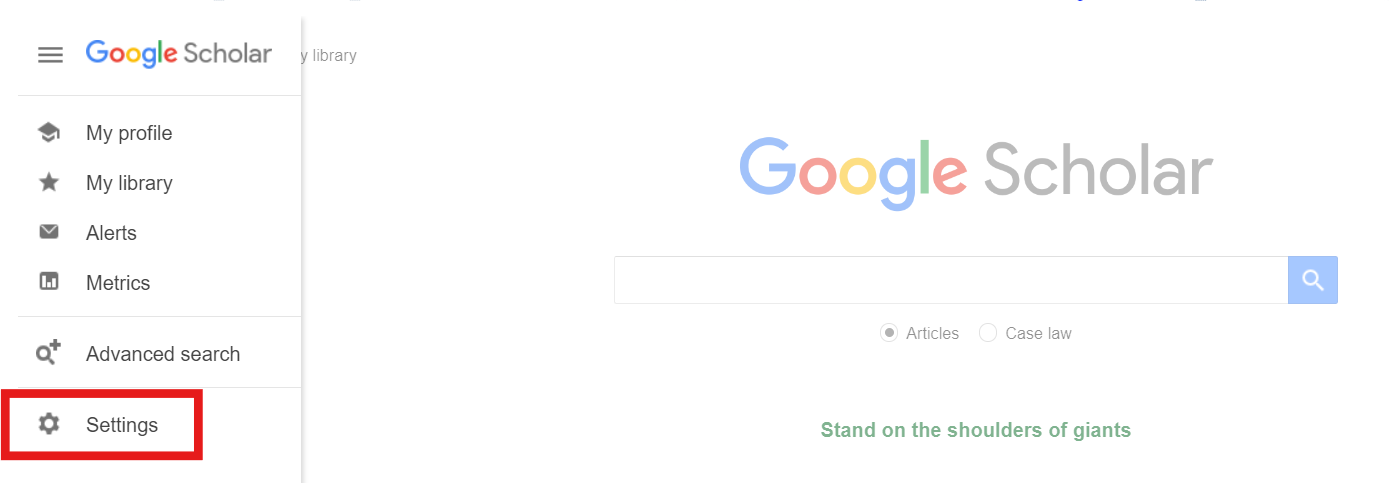
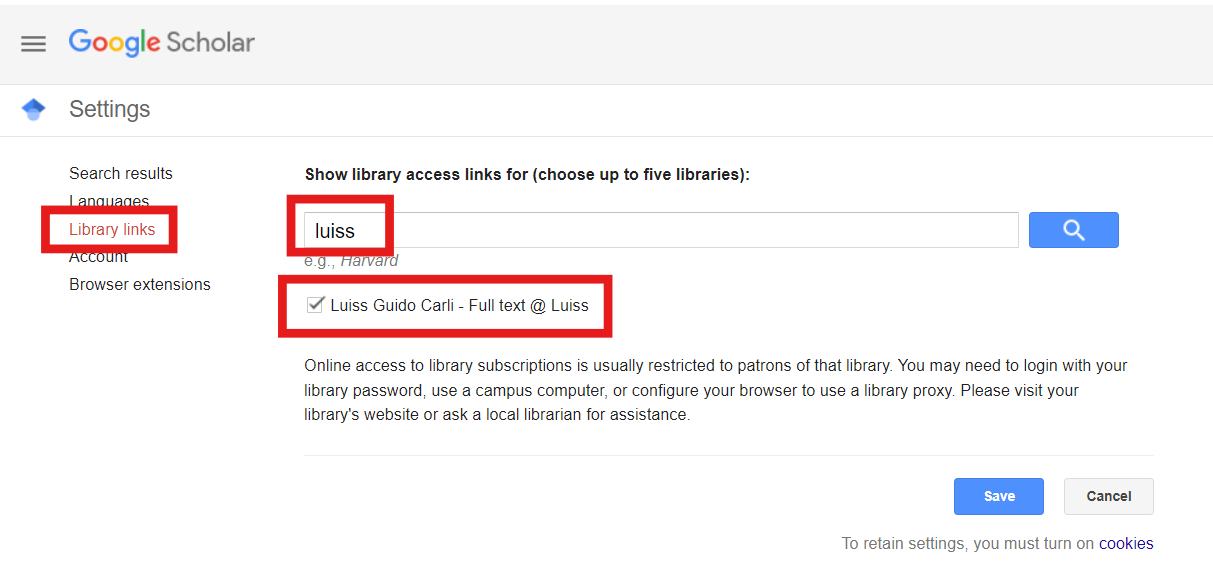
2. Search for Luiss in the search field and click Save.
Immagine
3. While browsing Google Scholar, you'll see direct links to Luiss resources.
Immagine